$140 per hour foronsite or drop off |
|---|

Canberra Computer Repairs and PC Upgrades
 Aussie PC Fix
  Canberra
Canberra Computer Repairs
PC Hardware Repair and Troubleshooting
PC Upgrades Canberra
Upgrading PC Parts & Computer Repairs
Power Supply Units (PSU)
Memory (RAM)
Hard Drives
Video / Graphics Cards
Processors / CPUs
Motherboards / MBs
Other components: USB ports, Optical Drives: DVD/CD/Blu-ray, and Floppy
Printers & other PC Devices / Peripherals - we do not repair Printer hardware or LCDs
Windows support only, no Mac or Linux!
Drivers - Hardware vs. Software
Canberra PC Parts Prices
Canberra Computer Repairs
Computers develop problems due to a wide range causes. Computer repairs may be needed because of either software errors, hardware problems (below), or networking / Internet issues. Other times you just may need some training to get you up to speed or learn how to use your new computer. Software problems needing repair may also be caused by viruses or spyware or if Windows is running slow and needs a tune up and maintenance.
Sometimes it can be hard to tell what is causing the problem without proper diagnosis because for some problems the symptoms showing may be the same or similar. If your computer does not start up, then this is often a problem with your power supply but this could also be caused by other computer parts/components or maybe a Windows/software error on your hard drive. If your computer is running slow then this could mean you are infected with a virus, there is a software problem with Windows or your program, or you may not have enough memory/RAM and your PC needs a hardware upgrade.
No matter what type of problem you have with your computer, we understand that computers have become part of our everyday lives and offer prompt service to fix your computer and get you back online as soon as possible. We not only understand computers but you, the user, as well and can explain what you need to know in plain and simple English!
We support Windows operating systems only including Windows NT/95/98/2000/XP/Vista and Windows Mobile 2003/WM5/WM6 - No support for Apple/Mac or Linux!
Call Aussie PC Fix on 0410 628 935 between 9am and 6pm, Mon-Sat to get your computer upgraded or PC fixed in Canberra today!
 Windows Help & Software / Program Support |
PC Hardware Repair and Troubleshooting |
|
|---|---|---|
|


PC Hardware Repair and Troubleshooting
Computer hardware faults are a major cause of computer crashes and Windows lock ups and freezes. Aging computer parts such as hard drives, power supplies and memory/RAM are the most common cause of computer failure. Computer hardware problems also often occur due to build up of dust and the resultant overheating or fan failure mostly when our hot Australian summer heats up the room and computer.
PC hard disks wear out over time and will eventually develop mechanical / physical faults over the years. Your data files or your Windows installation can also become corrupt due to software/program errors. It is important to perform regular backups of your data to another hard disk or optical media such as DVD, CD or Blu-ray discs, or sometimes tape drives.
Aussie PC Fix stock a wide range of replacement and upgrade PC parts for sale and many more for testing, which allow us to test your individual hardware components for faults or stability. We can troubleshoot your computer hardware to locate any system hardware failures and replace or sometimes repair the failing part. By isolating your computer components we can determine the specific hardware device that is causing errors and fix the problem for you.

The MS Windows Blue Screen of Death (BSoD)
We can also quickly test your PC hardware without using your Windows installation. By loading other operating systems and bypassing your own install of Windows we can easily determine whether a fault is hardware or software based.
As well as performing diagnostic tests we can stress test computers or individual PC parts for many hours at a time with high load. This can identify any PC components that may not be performing up to specification during high use or are overheating.
Call Aussie PC Fix on 0410 628 935 between 9am and 6pm, Mon-Sat to get your computer upgraded or your PC fixed today!

Replacement and Upgrade PC Parts Repair
Aussie PC Fix carry many computer parts which we can supply to you during onsite service or are available for pickup or delivery from Kambah, ACT. Contact us for availability of parts and for our address - pickup by appointment only. We can advise on which hardware best suits your needs as well as your price range, and of course which products are compatible with your computer system and PC devices / peripherals.
Please click here for pricing on replacement or upgrading PC parts

Power Supply Unit / PSU
A Power Supply Unit/PSU converts our standard Australian 240 volts of AC electricity from the wall into a DC power that your computer can use.
If your computer does not turn and power up then it is likely your power supply at fault. Sometimes the PC may turn on for a few seconds or only the fans and/or lights turn on.
Power supply faults can sometimes also damage your motherboard or hard drive, or occasionally these components may be the cause of your PC not starting. Sometimes your computer screen / monitor will show a 'no display/input' error, though that error can also show up on some video card errors.
The easiest way to test if your power supply is faulty is to open the computer and test with a known working power supply.
Power supply units are prone to failure after 3-5 years as they age and may not deliver enough power to your computer. This can first cause Windows errors or computer crashes, or at worst can also blow your motherboard and corrupt your hard drive.
Most newer power supplies for desktop computers are at least 400 Watts, with 450W-650W sizes being the most common. Aussie PC Fix supplies replacement power supplies from only $49 though higher quality power supplies are recommended - especially when powering mid to high end PCs. The type of graphics card, processor, and number of hard drives mostly determine the amount of power that you need.
Power supplies can also get very dusty inside and noisy over years of use but it is dangerous to open a power supply to clean because electrical charge can be held inside for days even when the power supply is unplugged. It is usually easier to replace the power supply than to clean or repair it.

Memory / RAM
Memory/RAM is where your computer stores data that it is currently working on and it is like your own short term memory. RAM is often simply called memory.
Every time you open a file or run a program (or when those programs start up automatically after Windows starts up and put icons near your system clock), the data is read or 'loaded' from your slower hard drive and put into your fast RAM.
When you are working on files they are stored temporarily in RAM and then you must save them to the hard drive for safe keeping. Your memory/RAM can only hold so much and to keep things long term you need to write them down, to your hard drive.
RAM is very fast but you are quite limited to the size of RAM that you can put in a computer. Most computers (32-bit) can take up to 4 GB/gigabytes of RAM, whereas new 500-1500GB hard drives are the most common size for new hard disk drives.
Memory/RAM is a very different kind of storage place compared to a hard disk drive. RAM is volitale which means if your computer is turned off or crashes then all data in the RAM is lost! Compare this to when you save a file to hard drive (below) which is designed to keep your information secure while your computer is off.
If your computer is running slow then it is often because you do not have enough RAM . This is usually because the computer has filled up its limited memory space with too many programs or too much data. The computer then swaps out of RAM what it doesn't need this instant to the much bigger but much much slower hard drive.
Faulty memory can cause unpredictable results as real-time calculations which are stored in RAM get corrupted. Errors such as the Blue Screen of Death (BSOD) often occur and the computer may crash and restart/reboot. If some these bad RAM results are written to the hard disk then this can also cause corruption of data stored on that too.
Most would recommend a minimum of 1GB RAM for Windows XP but 2GB RAM is recommended for newer PCs using cheap DDR2 RAM. A RAM upgrade is the easiest upgrade to do in a computer and one of the most common.
If your WindowsXP computer has only 256MB or 512MB of RAM or less then you will likely see an increase in speed if you upgrade your RAM.
For Windows Vista it is recommend to have a minimum of 2GB (twice as much as WinXP) to at least run smoothly. If your Vista computer has only 1GB or less then you may not be seeing the full potential of your computers speed.
There are three common types of computer RAM: DDR1, DDR2 and DDR3.
DDR1 / DDR is still used in many older computers today, mostly Pentium4 / P4 (Socket 478) and AthlonXP/64 computers (Socket A/754/939). It is still a common upgrade used to speed up these PCs.
DDR2 is the most common RAM and used in most new computers today such as Core2Duo (LGA775) and Athlon64 X2 (Socket AM2). Prices crashed for DDR2 in 2008 and is easily the cheapest of the lot.
DDR3 will drop in price as it becomes more popular over 2009. Intel has just released a new processor/CPU called i7 which uses DDR3 RAM.
Click here to read more about RAM and find how much RAM you have, use and need!

Hard Disk Drive/HDD
Hard Disk Drives (HDDs) are used as a more permanent means of storage compared to RAM, and are designed to keep your information long term - while your computer is turned off. This is like writing down information in a notepad so you can read it again later.
The hard disk drive is where all you important data is saved over the long term - all your important personal documents e.g. word documents, email, photos, as well as Windows and all your installed programs. Hard disks are usually assigned as the C: drive in a Windows computer but may also occupy different letters depending on configuration.
Hard Disk Drive failure could mean critical data loss and it is important not to use the drive after errors occur except when performing data recovery services. If you think there is a hard drive problem you should turn off the computer as soon as possible because further use can cause further corruption of your data.
If files have been lost due to deletion, just by using Windows the drive may permanently overwrite your data. Performing a routine backup is an essential maintenance task that should be performed regularly by every computer user to ensure proper data retention over the years.
There are three popular types of Hard Disk Drives: SATA \ IDE \ SCSI
Newer computers bought over the last 2-3 years will usually take SATA drives which are more common, larger, faster as well as cheaper. Most motherboards with SATA capability usually have 2-6 SATA ports but also include at least one IDE port.
As SATA drives have become more popular, larger in size and also dropping greatly in price over the years, they have become a popular upgrade with 1000GB drive the most common size sold. With many people also now downloading ever-increasing amounts from the Internet, they need larger drives to store all this data! Most recent computers have from 80GB to 2000GB size SATA drives, while also 1000GB / 1TB and 1.5TB size drives are available.
Older PCs may only accept IDE hard drives (unless an expansion card is used) but usually include two IDE ports. IDE drives (also now known as PATA and previously named just ATA), with anything from 10GB up to around 500GB are common sizes found for these old type of disks.
IDE ports can share up to two IDE drives, while SATA drives each use one SATA port but the cables are thinner. Note many older DVD and all CD drives are also IDE and share these ports with the hard disks. If you run out of SATA or IDE ports you can usually add more using an expansion card, e.g. a PCI card.
SCSI drives are commonly found in computer servers which are used in larger businesses, usually by many people (usually 10s or 100s) throughout the day. Servers usually need very quick and reliable components such as hard drives, so SCSI is preferred in these instances for their higher performance but at a much higher cost. We do not currently sell SCSI drives, only SCSI controllers needed for service.
Desktop computers usually use a larger 3.5 inch hard drive which are the largest size and also the cheapest. All 3.5" hard drives listed above rotate at a speed of 7200 RPM/revolutions per minute which is now the standard speed of these type of disks. Older 3.5" hard drives may run at only 5400 RPM or slower but we do not stock any slower 3.5" hard drives. There are also more expensive 10 000 RPM hard drives available, please contact us for pricing for these.
Laptop hard disk drives use a smaller 2.5 inch form factor which are also usually better designed to handle small knocks and bumps while transporting your portable PC. All 2.5 hard drives listed above rotate at 5400 RPM which is now the standard speed of these type of hard drives. Older 2.5" hard drives may run at only 4200 RPM or slower but we do not stock any slower 2.5" hard drives.
Hard Drive / Hard Disk Drive / HDD vs. Hard Disk??? What is it called ?? - part of About HDDs / Hard Disk Drives

Video Card / Graphics Card / GPU
Video Cards / Graphics Cards / GPUs usually start to display strange artifacts on the screen or repeatedly flash/reset the display when they start to fail. A "No Video / Input" error on the screen usually means that your video card is not sending any output, but do double check your cables are secure first!
Video cards can get very noisy and can whine high pitch noises in a dusty computer because of their small fan size which needs to run faster to keep the card cool.


Processor / CPU
The processor/CPU is like the brain or control centre and performs the main calculations inside of the computer. It processes the instructions from programs that are run/executed on the computer. Every time you give a program or Windows a command it is the CPU that does the work and controls what your computer will do.
The Central Processing Unit processes instructions fetched from RAM, decodes them and then calculates on them in 1s and 0s. The results are written back to RAM for later use by the program, and the next set of instructions are fetched to work on.
The Pentium CPUs from Intel had many years of success - and an even stronger marketing campign, but many older PCs using Intel Pentium 4's (and AMD Athlons) are still in use and regularly serviced and upgraded by Aussie PC Fix.
Most new computers bought from 2008 are named Core 2 Duo or Quad (Conroe \ Wolfdale) but the Pentium brand lives on with the Pentium Dual Core maintaining the budget position, previously held by Celeron.
Computers based on AMD CPUs have become less popular since the release of the Intel Cores but can still offer good value for money with some cheap PCs using Athlon 64 CPUs. The older Athlon XP offered excellent value for money and for quite a time offered more performance than most of Intel's Pentium 4 offerings at the time.
Processors don't often fail by themselves after installation and are usually the most reliable part in a computer. Most have very good thermal protection which automatically turns off the PC when a critical temperature is reached, but some aren't so lucky! CPUs usually only fail because their cooling fan has stopped working or if the motherboard shorts out - both situations often caused by a build up dust and dirt. Although processors can also be very easily damaged during installation by inserting it incorrectly.
What CPU should I buy?
The most popular CPUs as we go into 2009 are Intel Core 2 Duo. The E8400 has proven itself in the latter half of 2008 as great value for money and the slightly faster brother called E8500 is also rising in popularity as it drops price in comparison.
The E7x00s series have recently been released in Australia which are very similar to the E8x00s but run a little slower due to a lower amount of cache and slower FSB. Considering their price, the new E7x00 CPUs offer excellent value for money to invest in Core 2 Duo CPU technology.
Lower range PCs now usually use the cheaper Pentium Dual Core CPUs, which have taken over Celeron as the budget brand. These CPUs are still dual core and are fine for general Internet browsing, email and basic use of programs such as Microsoft Word and Excel.
Users of quad core have the new Q9x00 and Q8x00 options with the Q8200 effectively finally retiring the old faithful Q6600, which remained a constant bargain for Core 2 Quad in 2008. The Q8200 has a quicker 1333 FSB but also smaller 4MB cache than the Q6600 that it replaces, while the Q9x00s have both faster FSB and a larger 12MB cache.
Although quad core CPUs include a total of four 4 cores/CPUs, they run at a lower clock speed/GHz than dual cores at the same price range. You should only get into quad core if you use multi-threaded software that is able to take advantage of the extra CPUs, mostly video/audio encoding and a growing number of new 3D games - to most we recommend a faster Core 2 Duo.
AMD is another CPU manufacturer and a competitor of Intel. The previous generation AMD Athlon eventually beat the Intel Pentium 4 (P4) for performance vs. price. Intel soon fought back and won the price/performance lead again with the release of the the Core architecure, which was actually based on Intel's laptop CPUs due to their high efficiency and low running temperatures. Since dropping in price compared toIntel's offerings, AMD CPUs such as the Athlon 64 are a more popular choice for ultra-budget PCs.
Intel Core i7 / Nehalem
Intel recently released Core i7 CPUs, also known as Nehalem. Upgrading to Core i7 will be expensive until the platform gets more popular and prices are reduced. These CPUs will be expensive for some time compared to Core 2 Duo until other mid and low end versions come out. When Intel release a new generation of processors, only high-end CPUs are released first. The current performance Nehalem CPUs are named Bloomfield.
Most benchmarks seem to indicate 10-30% increase in speed compared to similar (Extreme) Quad Core CPUs for most tasks, but Core i7 really does come to life with software which can actually use all four cores/CPUs.
Mainstram Nehalem CPUs are due to be released in the second half of 2009. The first CPUs will be named Havendale but will still be quad core. Near the end of 2009 or in 2010, the Lynnfield family of CPUs are due and will be dual core.
Core i7 uses a new socket called LGA1366 which means needing a new motherboard, also requiring DDR3 RAM (Core2Duo uses LGA775 and usually DDR2 RAM). Although the Core i7 CPU is comparable in price to high end Core 2 Quad CPUs, and DDR3 prices are fairly reasonable, the final blow is that LGA1366 motherboards are very expensive.
As more people invest in Nehalem, all prices will drop, and also lower cost LGA1156 motherboards and CPUs will be released in the second half of 2009 for mainstream computers. If you were going to buy a high-performance quad core CPU then Core i7 may be worth looking into instead of Core 2 Quad.
Current and future Intel CPU architecture
Quick review of current and future Intel CPU architecture
Future CPUs made by Intel will folllow what they have called a tick-tock cycle over two years. Every two years (tick) Intel will release a new architcture, such as the current Core or new Nehalem. But in the alternate years (tock) the current architecture will be improved upon and the fabrication/manufacturing process used to make the CPUs will shrink.
Core 2 CPUs are based on the Core architecture but were originally manufactured using a 65nm/nanometer fabrication process. At first laptops were released with Core CPUs, then the desktop computer CPUs were labelled as Core 2. The Core 2 fabrication size of 65nm was shrunk to 45nm during 2008 and the new refresh is named Penryn.
All E5x00, E7x00 and E8x00 Core 2 Duo CPUs are newer Penryn CPUs, as well as the Q8x00 and Q9xx0 Core 2 Quad CPUs (see table). Some original Core based CPUs are still available including the Pentium Dual Core E2xx0 CPU.
The next family of CPUs will use the same Nehalem architecture and are named Westmere. The fabrication process will shrink from 45nm to 32 nm and these CPUs are due at the end of 2009. Laptop/Mobile CPUs are planned first, then performance CPUs in the first half of 2010. It won't be until the second half of 2010 that mainstream desktop CPUs are released for Westmere, and this trend by Intel will likely continue.
Following Westmere, the next new architecture due end of 2010/2011 is named Sandy Bridge, with Ivy Bridge shrinking this to 22nm technology. Around 2012 the following architecture called Haswell is planned.

Motherboard / Mobo
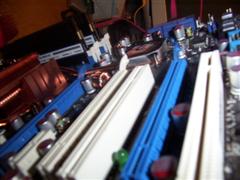
The motherboard is the main printed circuit board in a computer. It contains sockets/slots that all other internal PC components are plugged into, either directly such as the CPU, graphics card and RAM, or via a cable such as the hard drives, power supply and even the power button on the front of your PC.
Older motherboards usually need any of DDR1 RAM, AGP graphics, IDE hard drives (no SATA), along with maybe a Socket 478 Intel Pentium 4 or Socket A Athlon XP CPU. Some PCs have a mix of technology such as e.g. newer PCI-E graphics but only older DDR1 RAM.
New computers usually have motherboards using DD2 RAM, PCI-E graphics and SATA hard drives (also most have at least one IDE port), along with a dual core CPU such as an Intel Core 2 Duo or AMD Athlon64 or Phenom.
Recently released are motherboards with the X58 chipset, using new DDR3 RAM and the all new Intel Core i7/Nehalem CPU.

Motherboards are the most difficult computer component to replace because all the other PC parts plug into it, such as CPU, RAM, HDD and more. Nearly every cable and component in the computer must be taken out and fitted to the new motherboard. Windows can also complain about activation or simply not boot up when the motherboard is changed to a different type.
Usually if your PC will not start up then the PSU is at fault, but other times it can be the motherbaord that has failed or a blown PSU may also damage the motherboard or other parts on its way out.
Older motherboards (e.g. Pentium 4 / Athlon based) can be harder to replace because manufacturers have stopped making them and it is hard to find a new board in stock. Aussie PC Fix keeps several types of popular used motherboards in hand so your downtime can be kept to minimum, but when these older types fail it may be worthwhile considering upgrading the rest of the PC as well or just buy a new PC.
You should also ensure your motherboard and whole computer is free from dust because the heatsink and fan assembly that cools your computer is a major point of failure and can render your motherboard, processor and entire system unusable.
Motherboards also have CMOS battery which keeps a small amount of power to your computer while turned off. If this battery goes flat then your PC can lose time and important settings, and may also even prevent the PC from starting up properly.
What is a motherboard / socket / chipset?
Other components
USB ports, DVD/CD Drives, Floppy Drives and other parts which get a lot of use can easily be damaged or wear out, but most can also be easily replaced. Custom USB ports at the front of the case can sometimes be hard to remove and replace so in some cases adding a USB expansion card (PCI) or PCI header cable is a better solution.


Printers and other Computer Peripherals
A computer peripheral is simply any device that connects to your computer but is outside of the computer case, as opposed to the parts mentioned above that all live inside your box (case).
Are you having trouble installing your printer drivers or need help transferring those photos from your new digital camera? Need to learn how to download podcasts or transfer music to your MP3 player or iPod? Aussie PC Fix can help you make proper use of these and all the other gadgets you may have!
We support peripherals such as: Printers (Laser and Inkjet/DeskJet) Scanners, Faxes, Multifunction Devices (MFDs e.g. 3-in-1s, 4-in-ones, All-in-ones, ...), most USB Devices, Speakers, Microphones, Headsets, Keyboards, and Mice. Most faulty parts are not repairable and must be replaced, but we can help with any setup, usage or performance issues you may be having.
Aussie PC Fix does NOT repair hardware problems with Printers (e.g. paper feeding problems) but can help you with any installation or Windows driver issues you may have.

Hardware devices in a computer will fail from time to time
but the errors may not actually be caused by the hardware itself -
sometimes the problem lies with the software drivers that control the device.
Drivers: Hardware Vs. Software
Windows Driver Installation Problems
Each piece of hardware installed on your computer (including most peripherals) needs software drivers to tell your Windows operating system how to talk to the hardware. This piece of software is called a driver because it 'drives' the hardware, and is unique to each product.
When a hardware component does not act properly, it may not actually be the hardware itself that's failing, but commonly it's actually just the driver software or Windows itself that is causing the problem.
Hardware drivers can become corrupt or overwritten easily in Windows. For example, a new hardware device or peripheral installation can overwrite files that were previously in use. The new device upgrades the software drivers but has no consideration of other devices that may rely on the older versions of drivers. Ironically, this occurs more often when you upgrade your product with another from the same brand.
Windows comes supplied with thousands of drivers for devices, but many of these are 'generic' which is a basic driver with limited functionality. Microsoft tries for maximum compatibility but cannot know or predict how every manufacturer might design their product. MS cannot include drivers for devices made after the Windows release, though sometimes releases an update online.
Usually the driver for most computer devices can be found online at the manufacturer's website, or another site that specialises in driver files. It is usually a good idea to keep up to date with the latest drivers as they can fix bugs or improve functionality or performance for the product.
Current service rates are $70 per 30 minutes
plus callout fee if applicable
Call out fees:
$50 - Canberra (except Gungahlin, Mitchell)
$90 - Gungahlin, Mitchell and Queanbeyan
Minimum fee of $70-$140 per device for diagnosis,
then charged $70 per half hour block.
Call today on 0410 628 935
or Book Online to arrange your service
Aussie PC Fix Canberra
Computer and IT Services






Aussie PC Fix provide reliable, efficient and friendly IT support with only qualified technicians that will help solve your computer problem. We guarantee we can fix your computer or there is NO charge. If we offer to fix your computer and you decline the suggested fix then our minimum diagnosis fee is payable. We guarantee you will be happy with your computer service or we'll repair it again for free!
Canberra's Aussie PC Fix are here to help you with a wide range of computer, networking and other IT services for business or home computer users in Canberra, ACT, Australia. Call us today on 0410 628 935 to find out how we can help you, or book a service online.
You can trust Aussie PC Fix to always fix your computer problems reliably and efficiently, and at a reasonable price with our services being guaranteed.
We provide expert solutions for all Home Users, Home Office, SOHO, Small Business to Medium Sized Business, SME, Retail and Branch Offices in both North Canberra and South Canberra, as well as Queanbeyan.
We are your Canberra onsite computer support specialists, but also offer drop-off service to our workshop located in Canberra. Pick-up and Delivery is also available, charged at the applicable call-out rate.
If you need help with anyhing not listed above, please contact us online or email support@aussiepcfix.com and ask!
Call Aussie PC Fix today for all your Canberra computer and IT needs!
Current service rates are $70 per 30 minutes
plus callout fee if applicable
Call out fees:
$50 - Canberra (except Gungahlin, Mitchell)
$90 - Gungahlin, Mitchell and Queanbeyan
Minimum fee of $70-$140 per device for diagnosis,
then charged $70 per half hour block.
Call today on 0410 628 935
or Book Online to arrange your service